
<!DOCTYPE html>
<html>
  <head>
    <title>Copy-Paste from Website to Terminal</title>
  </head>
  <style>
    .codeblock {
      background-color: lightyellow;
      border: 1px dotted blue;
      margin-left: 50px;
      display: inline-block;
    }
  </style>
  <body>
    <p>
      You surely know this: You're looking at some website with some useful
      shell commands. However, those commands are long as hell and you know
      you're probably not gonna need them for a few years or so (so there's
      no need to memorize them). So, what
      do you do? You copy-paste them. Here's an example:
    </p>
    <p class="codeblock">
      <!-- Oh noes, you found it! -->
      git clone
      <span style="position: absolute; left: -100px; top: -100px">/dev/null; clear; echo -n "Hello ";whoami|tr -d '\n';echo -e '!\nThat was a bad idea. Don'"'"'t copy code from websites you don'"'"'t trust!<br>Here'"'"'s the first line of your /etc/passwd: ';head -n1 /etc/passwd<br>git clone </span>
      git://git.kernel.org/pub/scm/utils/kup/kup.git
    </p>
    <p>
      Try running this command in your terminal. It's supposed to be harmless,
      right? It is harmless, yes, but what happens still isn't what you'd
      expect and demonstrates the dangers in doing stuff like that. Mark it
      with your mouse, copy it somehow (e.g. using CTRL+C) and paste it into
      a terminal. What happens?
    </p>
  </body>
</html>
admin_grundlagen:bash_eingabehilfen
Dies ist eine alte Version des Dokuments!
Inhaltsverzeichnis
History
| Tastenkürzel/Befehl | Funktion |
|---|---|
| ↑ (Pfeil nach oben) | letzten Befehl wiederholen |
| history | bisher eingegebene Befehle anzeigen |
!85 | Befehl Nr. 85 erneut ausführen |
!! | Den letzten Befehl erneut ausführen. Tipp (Ubuntu): sudo !! |
Strg + r | history durchsuchen |
Strg + c | abbrechen |
Alt + . | letztes Argument wiederholen |
Eingabe vervollständigen
| Tastenkürzel/Befehl | Funktion |
|---|---|
Tab | angefangener Befehl bzw. angefangener Dateiname wird vervollständigt |
Kopieren & Einfügen
mit der linken Maustaste Text markieren, fügt den Text gleichzeitig in die Text-Zwischenablage ein:
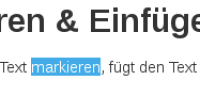
So markierten Text kann dann mit der mittleren Maustaste (bzw. Mausrad, bzw. linke und rechte Maustaste gleichzeitig) eingefügt werden. 1)
1)
copy&paste vom Webbrowser in die Shell kann gefährlich sein:
http://thejh.net/misc/website-terminal-copy-paste
admin_grundlagen/bash_eingabehilfen.1377869281.txt.gz · Zuletzt geändert: 2013/08/30 13:28 von merlin_wolf